Icon of program: Screen VidShot

Screen VidShot for Windows

  • Trial version
  • 1.8
    3
  • 2.8K
  • V2.3c

Flexible screen capturing utility

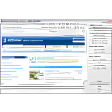
Screen VidShot is a very simple desktop screenshot software that allows you to catch everything that happens on your desktop.

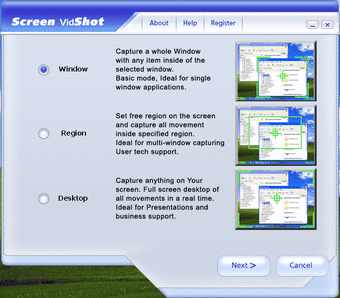
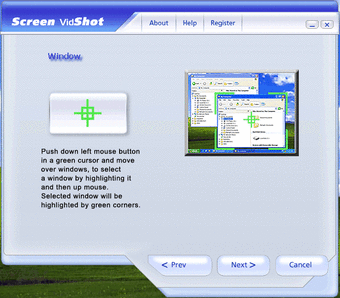
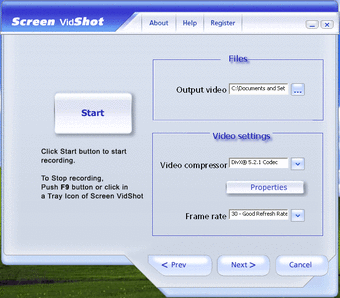
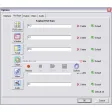
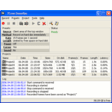
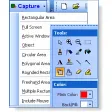
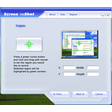
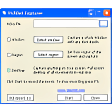
You have options for full-screen mode, window/application mode and a selection mode for manual selection of a desktop. Once in capture mode, you can make several adjustments by selecting the desired video codec amongst those available on your system, the number of frames per second, the size of the catch and the path where the program saved capture video output. It is compatible with AVI, WMV and ASF, and can also record macros for video and audio as well as all mouse movements. This is an ideal program with which to create more dynamic tutorials, demonstrations and multimedia presentations for clients or colleagues. However, recording macros is not as easy as it should be - it seems that the recording options are hidden deep inside the menus and there's no effective tutorial to guide you through it.

Nevertheless, an excellent screen capture utility that will appeal to beginners and advanced users alike.

  • Pros

    • Easy to use for normal screenshots
    • Offers a range of automatic capture sizes
  • Cons

    • Recording macros is complicated
 0/3

App specs

  • License

    Trial version

  • Version

    2.3c

  • Latest update

  • Platform

    Windows

  • OS

    Windows 2000

  • Language

    English

  • Downloads

    2.8K

  • Size

    16.21 MB

  • Developer

Program available in other languages


Icon of program: Screen VidShot

Screen VidShot for PC

  • Trial version
  • 1.8
    3
  • 2.8K
  • V2.3c

User reviews about Screen VidShot

Have you tried Screen VidShot? Be the first to leave your opinion!

Add review

You may also like

Alternatives to Screen VidShot

Explore Apps

Latest articles

Laws concerning the use of this software vary from country to country. We do not encourage or condone the use of this program if it is in violation of these laws.
Softonic

Is Screen VidShot safe?

100/100

Score result: Clean

This file passed a comprehensive security scan using VirusTotal technology. It is safe to download.

  • Virus free
  • Spyware free
  • Malware free
  • Verified by Security Partners

    VirusTotal logo

Scan Info

Last scan
Saturday, December 2, 2023
Scan provider
VirusTotal · Full report

File Integrity

File
screen-vidshot.exe
SHA256
fe0b8013491a102648e6056ec66da145cb12f737617c02a83a03ee997b988072
SHA1
4f0780d7bb59cbfb594869725dc646fef0060519

Softonic security commitment

Screen VidShot has been thoroughly scanned by our advanced security systems and verified by industry-leading partners. This file comes from the official developer and has passed all our security checks, showing no signs of viruses, malware, or spyware. For more information, visit our Security and Trust Center